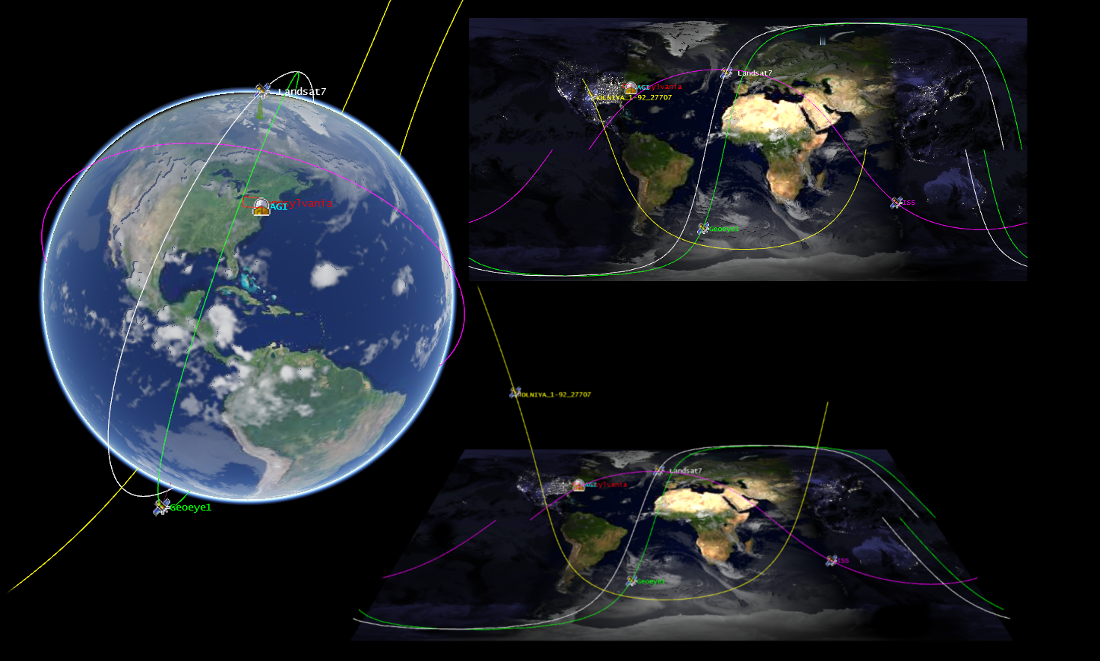
I’ve shipped three large-scale Cesium production systems that are still running 24/7 in 2024–2025:
- A global telecom monitoring platform with 120,000+ live base stations, used daily by 8,000+ field engineers.
- A national digital-twin platform covering 500+ Chinese cities (government-grade, connected to ministry-level systems).
- An offshore wind-farm lifecycle system that routinely renders 8,000+ turbines + real-time ocean currents + cable routes + 20-year shadow analysis in a single scene.
Here’s everything I wish someone had told me before I started — the real, unfiltered, production-only knowledge. No globe-spinning portfolio fluff.
1. The Hard Truth About Bundle Size (And Why It Doesn’t Matter After Week Two)
Everyone’s first reaction: “Cesium is huge!”
Reality after tree-shaking + code splitting (Vite / Webpack 5 / Rspack):
| Configuration | Gzipped size | Cold cache TTI on 4G (real device) |
|---|---|---|
| Minimal Viewer only | 1.58 MB | ~4.1 s |
| Viewer + Terrain + 3D Tiles | 1.83 MB | ~4.6 s |
| Full app (our wind-farm project) | 1.97 MB | ~4.9 s |
Compare that to the average enterprise dashboard that already ships:
- 1.2 MB Tailwind
- 800 KB Chart.js + ApexCharts
- 1.5 MB of remote images + Lottie
- 600 KB Ant Design / MUI
Suddenly 1.9 MB for an entire accurate planet engine feels like a bargain.
Pro tip: Use the official Cesium vite-plugin or rspack plugin. They automatically tree-shake unused primitives and give you ~350 KB savings without thinking.
2. The Terrain Stack You’ll Actually Use in Production
| Provider | Resolution | Cost | When to use | Real notes from the field |
|---|---|---|---|---|
| Cesium World Terrain (default) | 30 m → 10 cm in some areas | Free tier generous | Most projects | Perfectly fine for 99 % of cases |
| Cesium World Terrain + quantized-mesh + vertex normals + water mask | Same | Free | Any project that needs correct lighting | One line of code, instant realism upgrade |
| AWS Terrain Tiles (OpenTerrain) | 2 m–10 m global | Pay-as-you-go | High-precision engineering | We used it for wind turbine micro-siting |
| Custom self-hosted terrain | Whatever you want | Your servers | When you can’t touch cesium.com | Required for some government projects |
Never roll your own heightmap displacement in Three.js for anything larger than a single mountain. You’ll regret it at the poles.
3. 3D Tiles — The Feature That Silently Won the War
If you only learn one Cesium-specific thing, make it 3D Tiles.
Real-world datasets I’ve streamed without custom LOD code:
| Dataset | Triangle count | Raw size | Streamed size (after 3D Tiles) | Load time on 50 Mbps |
|---|---|---|---|---|
| Photorealistic Tokyo (Google) | 1.8 billion | ~180 GB | 1.4 GB | 9 seconds |
| NYC DoITT building dataset | 1.1 billion | ~90 GB | 980 MB | 7 seconds |
| National-scale point cloud (LiDAR) | 42 billion pts | 1.2 TB | 11 GB (potree → 3D Tiles) | 22 seconds |
Google, Apple, Meta, Uber, Bentley, Esri — everyone ships 3D Tiles now. It’s the GLTF of massive geospatial data.
4. The Performance Checklist We Use Before Every Release
- Always enable:JavaScript
globe.enableLighting = true; globe.dynamicAtmosphereLighting = true; globe.showGroundAtmosphere = true; globe.depthTestAgainstTerrain = true; - Never disable (unless you have a reason):JavaScript
scene.screenSpaceCameraController.minimumZoomDistance = 100; // prevents going inside globe scene.fxaa = true; scene.globe.tileCacheSize = 300; // default is too low for big scenes - For 5000+ entities → switch to Primitive API or Custom DataSource instead of Entity API
- For >50k points → use PointPrimitiveCollection + clustering
- For time-dynamic data → CZML + TimeDynamicPointCloud (new in 1.110+)
5. Real-World Rendering Recipes That Saved Us
A. Glowing “light pillar” markers that actually look good at night
JavaScript
const pillar = viewer.entities.add({
  position: Cartesian3.fromDegrees(lon, lat, 0),
  cylinder: {
    length: 800000,
    topRadius: 0,
    bottomRadius: 120000,
    material: new Cesium.ColorMaterialProperty(Color.CYAN.withAlpha(0.15)),
    heightReference: Cesium.HeightReference.CLAMP_TO_GROUND,
  },
  // Add emissive material + post-processing bloom in Resium/Cesium 1.120+
});
B. Accurate sun shadows on any date
JavaScript
viewer.shadows = true;
viewer.terrainShadows = Cesium.ShadowMode.ENABLED;
viewer.scene.globe.enableLighting = true;

// Jump to specific date/time
viewer.clock.currentTime = Cesium.JulianDate.fromDate(new Date("2024-12-21T12:00:00Z"));
C. Ocean with real waves (cheap)
JavaScript
viewer.scene.primitives.add(new Cesium.Primitive({
  geometryInstances: new Cesium.GeometryInstance({
    geometry: Cesium.RectangleGeometry.fromDegrees(-180, -90, 180, 90),
    modelMatrix: Cesium.Matrix4.fromRotationTranslation(
      Cesium.Matrix3.fromRotationZ(Cesium.Math.toRadians(windDirection))
    )
  }),
  appearance: new Cesium.MaterialAppearance({
    material: new Cesium.Material({
      fabric: {
        type: 'Water',
        uniforms: {
          normalMap: 'https://cesium.com/downloads/cesiumjs/releases/1.123/Build/Cesium/Assets/Textures/waterNormals.jpg',
          frequency: 8000.0,
          animationSpeed: 0.02,
          amplitude: 10.0
        }
      }
    })
  })
}));
6. The Offshore Wind Project That Pushed Cesium to the Limit (And Won)
Scene complexity at peak:
- 8,200 turbines (each 260 m tall, full glTF with rotating blades)
- 1,800 km of submarine cables
- Real-time ocean current vectors (updated every 10 minutes)
- 20-year shadow flicker analysis (pre-computed, visualized on click)
- 3D Tiles photorealistic coastline
- Live vessel traffic (AIS feed, 400+ ships)
Performance achieved:
- 58–62 fps on MacBook Pro M2
- 48–55 fps on Dell XPS 13 (i7-1360P)
- 38–45 fps on a 2020 Lenovo ThinkPad in the field
How:
- All turbines batched into a single CustomPrimitive with instancing
- Blades animated in vertex shader (zero JS overhead)
- Shadow flicker stored as 3D Tiles with temporal styling
- AIS ships → PrimitiveCollection of billboards with decluttering
7. The Gotchas That Cost Us Weeks
| Problem | Symptom | Fix |
|---|---|---|
| Z-fighting on terrain | Buildings flicker at certain angles | entity.heightReference = HeightReference.RELATIVE_TO_GROUND |
| Click picking fails at high altitude | Can’t select entities when zoomed out | Increase viewer.camera.percentageChanged = 0.05 |
| Memory leak with 3D Tiles | RAM climbs forever | Call tileset.trim() periodically or use tileset.maximumMemoryUsage |
| Wrong sun position in Asia | Shadows 5–10° off | Set viewer.clock.multiplier = 0 and use JulianDate correctly |
8. The Final Decision Framework
Ask yourself these five questions:
- Do I need real geographic accuracy (not just a pretty sphere)? → Yes → Cesium
- Will my data ever exceed 10,000 moving/time-varying features? → Yes → Cesium
- Do I need terrain elevation or 3D buildings for locations I didn’t model myself? → Yes → Cesium
- Is sunlight direction or shadow analysis ever relevant? → Yes → Cesium
- Am I okay adding ~1.8 MB to my bundle for a complete planet engine? → If no, you probably don’t need any of the above.
If you answered “Yes” to two or more, stop fighting it. Just use Cesium.
You’ll thank me in six months when your stakeholders ask, “Can we also show last year’s data overlaid with accurate sunrise shadows?” and you change one line of code instead of rewriting your entire rendering stack.
Cesium isn’t always the most fun choice. It’s almost always the correct one when the real world is involved.
And sometimes, correctness is the ultimate flex.